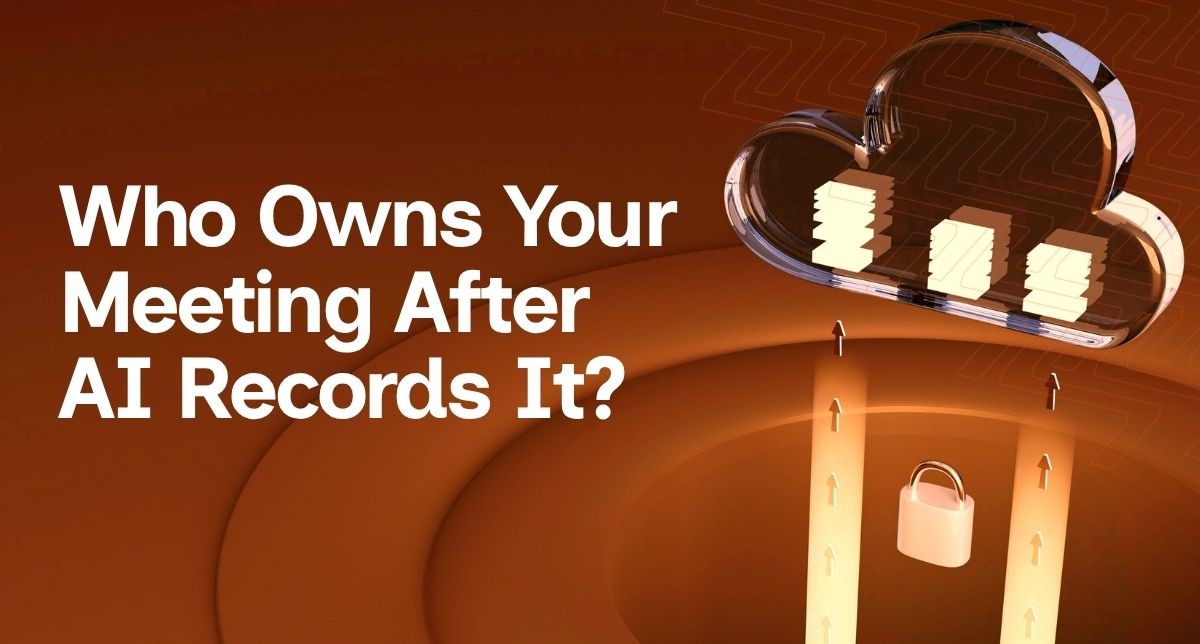
Enter your content here AI meeting assistants like Microsoft 365 Copilot, Otter, Fireflies and Fathom are becoming part of everyday
business. They record conversations, produce summaries and generate action items in minutes. Used well, they save time and improve
productivity. Used without thought, they can also introduce governance, privacy and security risks that many Australian businesses haven't
considered.
This isn't an article about avoiding AI. At ZaheZone, we believe AI can deliver enormous value. The key is making informed business
decisions before new tools become part of everyday operations.
Picture a client meeting. Commercial pricing is discussed, staff performance is reviewed and future business strategy is shared. An AI
assistant quietly records every word. When the meeting ends, everyone receives a polished summary. The convenience is obvious. The question
most businesses forget to ask is where that information now lives, who can access it and how long it will remain there.
For many SMEs, the greater risk isn't cybercrime. It's adopting powerful technology without understanding how it fits within existing
governance and security practices.
Years ago businesses worried about employees using Dropbox or personal email accounts for work. Today the challenge has evolved. Staff can
independently connect AI tools to calendars, meetings and documents without malicious intent. They're simply trying to work more
efficiently.
That's why AI governance matters. Technology decisions affect client confidentiality, operational processes, compliance obligations and
business continuity—not just the IT department.
Some AI meeting assistants operate within your existing Microsoft 365 environment. Microsoft states that Copilot for Microsoft 365 processes
organisational data within the Microsoft 365 service boundary and does not use customer prompts or meeting content to train its foundation
AI models.
Other meeting assistants may store recordings on their own cloud infrastructure. Their approach to data storage, retention and AI model
training varies between vendors. Before deploying any solution, review the provider's privacy and security documentation rather than
assuming all AI tools behave the same way.
Before approving an AI meeting assistant, ask:
• Where is the data stored?
• Who owns the recordings?
• Who can access transcripts?
• Can recordings be deleted?
• How long are they retained?
• What happens when an employee leaves the business?
• Does the tool integrate with existing security policies?
These questions are less about technology and more about protecting your business information.
Meeting recordings often contain commercially sensitive discussions and personal information. Every organisation should have clear internal
guidelines covering when meetings should be recorded, how participants are informed, where recordings are stored and when they are deleted.
For conversations involving HR matters, legal advice or highly confidential client information, businesses should carefully consider whether
recording is appropriate at all and seek legal advice where required.
Choose one approved AI meeting platform for the organisation rather than allowing every employee to use different products. Disable
automatic meeting joining where practical. Inform participants before recording begins. Review default sharing permissions and ensure
recordings remain within approved business systems wherever possible. Finally, train staff so they understand both the benefits and
responsibilities that come with AI tools.
— Scott Holzberger, Director, ZaheZone Pty Ltd
AI should make your business more productive, not less secure. The organisations seeing the greatest value from AI aren't necessarily using
the most tools—they're using the right tools with clear governance, defined policies and appropriate oversight.
Before enabling AI meeting assistants across your business, take the time to understand how they store information, how they integrate with
your existing systems and whether they align with the way your organisation manages sensitive information.
Technology should empower your people. It should never quietly create risks you didn't know existed.
Before investing in another AI platform, review the technology already supporting the business. A practical technology review often uncovers opportunities to improve productivity, simplify systems and prepare the business for future AI adoption.
ZaheZone’s Technology Health Checks are designed to provide a clear, practical snapshot of a business’s technology environment.
These reviews typically assess:
• Communications systems
• Cyber
security posture (SMB1001 aligned)
• Microsoft 365 configuration and licensing
• Overall IT infrastructure
This article has been adapted for Australian SMEs from material used with permission from The Technology Press and expanded to
reflect ZaheZone's governance-first approach to business technology.




.png)

At ZaheZone, we take your business growth seriously, which is why we’re with you every step of the way. To discover how we can help you optimize and scale your IT, contact us today.
Leave a Comment